Banking Guides: Cardless Cash, Tap and Go, and More
A plain-English guide to modern banking features in Australia: cardless cash, tap and go, PayID, digital wallets, and BPAY.
In this guide
Australian banking changed faster between 2020 and 2026 than in the previous two decades. Cash use dropped below 10% of all transactions. Tap and go became the default payment method at 95% of Australian merchants. PayID replaced BSB and account numbers for person-to-person transfers. Digital wallets turned phones into debit cards.
This guide covers five banking features that most Australians use but few understand in detail: cardless cash, tap and go, PayID, digital wallets, and BPAY. Each section explains how the feature works, which banks support it, what it costs, and where the risks sit.
Cardless Cash
For step-by-step instructions on cardless withdrawals, see our guide to cardless ATM withdrawals. Our detailed guide on cardless ATM withdrawals covers step-by-step instructions for each bank.
Tap and Go Payments
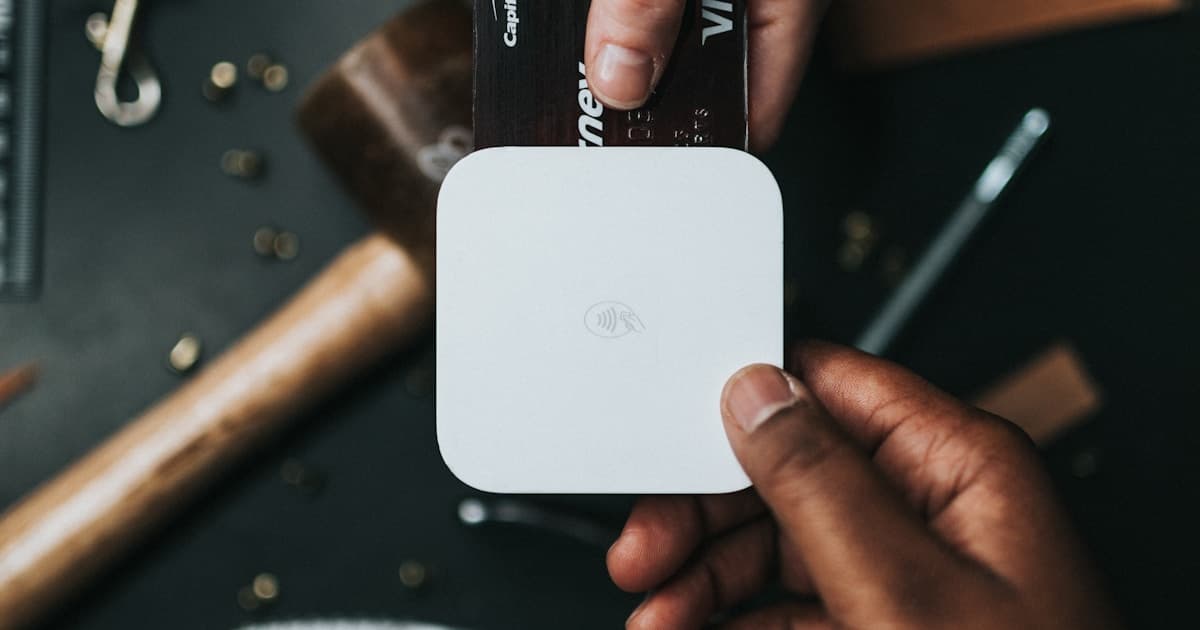
Tap and go (contactless payment) uses NFC technology embedded in your debit card, credit card, phone, or smartwatch. You hold the card or device within 4 centimetres of the payment terminal, and the transaction processes in under two seconds. No PIN required for transactions under $200 (raised from $100 in 2020).
The Reserve Bank of Australia's 2025 Consumer Payments Survey found that 92% of in-person card payments in Australia used tap and go. PIN-entry transactions dropped to 6%. Cash covered the remaining 2% (down from 27% in 2019).
Tap and go costs nothing for you as a consumer. The merchant pays an interchange fee of 0.2% to 0.5% per transaction, depending on the card network and card type. Some small merchants add a surcharge of 1% to 1.5% to cover this cost, which is legal in Australia under ACCC rules. The RBA considered capping surcharges in 2024 but decided against it.
| Feature | Card Tap | Phone/Watch Tap |
|---|---|---|
| PIN-free limit | $200 | Unlimited (biometric auth on device) |
| Transaction limit | Set by bank (usually $10,000) | Set by bank (usually $10,000) |
| Works without internet | Yes (offline mode for small amounts) | Requires phone to be powered on |
| Works with dead battery | No (phone/watch) | N/A for cards |
| Authentication | None under $200; PIN above | Face ID / fingerprint / device PIN |
| Lost card/phone risk | $200 per tap until you report loss | Locked with biometric; low risk |
Comparison of card-based and device-based tap and go payments
The $200 PIN-free limit creates a risk window if you lose your card. A thief can tap your card for purchases under $200 until you report the loss and the bank blocks the card. Most banks freeze cards through their app in under 30 seconds. Report a lost card the moment you notice it missing. Under the ePayments Code, your maximum liability for unauthorised transactions is $150 if you report within a reasonable time.
Phone-based tap payments (through Apple Pay, Google Pay, or Samsung Pay) carry lower fraud risk than physical card tap. Each phone transaction requires biometric authentication, and the phone transmits a one-time token rather than your actual card number. If someone steals your phone, they can't tap to pay without your face, fingerprint, or device PIN.
PayID and Instant Transfers
PayID replaces BSB and account numbers with something easier to remember: your phone number, email address, or ABN. When someone sends you money through PayID, they type your phone number instead of a six-digit BSB and eight-digit account number. The payment arrives in under 60 seconds through the New Payments Platform (NPP). For cross-border payments, see our guide on how to send money overseas.
You register your PayID through your bank's app. Link your mobile number or email to one transaction account. Each PayID can only connect to one account at one bank. If you want to receive money into a different account, you need to re-register your PayID with that account.
Over 14 million Australians had registered a PayID by early 2026, according to NPP Australia. Transaction volumes crossed 1.2 billion in 2025. The service runs 24/7, including weekends and public holidays, with no cut-off times.
PayID has a confirmation step that prevents wrong-account transfers. When a sender enters your phone number, their app displays the registered account holder's name before releasing the payment. This confirmation catches typos and mis-keyed numbers before money leaves the sender's account. With traditional BSB/account transfers, no name confirmation exists, and money sent to the wrong account requires a manual recall process that can take weeks.
Scam risk: PayID-related scams increased in 2025. The most common involves a buyer on Gumtree or Facebook Marketplace who "sends" a PayID payment and shows you a fake confirmation screenshot. They then pressure you to hand over the goods. Always check your own bank app for received funds before releasing any item. A screenshot from the buyer's phone proves nothing.
Digital Wallets: Apple Pay, Google Pay, Samsung Pay
A digital wallet stores a virtual copy of your debit or credit card on your phone or smartwatch. You add your card by scanning it with your phone's camera or entering the card number. Your bank verifies the card and provisions a device-specific token. From that point, your phone functions as a contactless payment card.
Apple Pay works on iPhones (6 and later), Apple Watches, iPads, and Macs. Google Pay works on Android phones with NFC. Samsung Pay works on Samsung Galaxy devices. All three wallets store Visa, Mastercard, and eftpos cards. American Express works with Apple Pay and Google Pay.
| Feature | Apple Pay | Google Pay | Samsung Pay |
|---|---|---|---|
| Supported banks (Big 4) | All 4 | All 4 | CBA, NAB, Westpac |
| Authentication | Face ID / Touch ID | Fingerprint / PIN / Face | Fingerprint / PIN / Iris |
| Offline payments | Up to 5 transactions | Limited | Limited |
| Transit payments | Sydney Opal, Melbourne myki | Sydney Opal, Melbourne myki | Sydney Opal |
| In-app payments | Yes | Yes | Yes |
| eftpos support | Yes | Yes | Yes |
| Loyalty cards | Yes (Wallet app) | Yes (built-in) | Yes (Samsung Pay app) |
Digital wallet comparison for Australian users, May 2026
All three wallets cost nothing to use. Your bank doesn't charge extra for Apple Pay or Google Pay transactions. The interchange fee stays the same as a physical card tap. Merchants can't surcharge digital wallet payments at a higher rate than card payments.
Digital wallets support transit payments in Sydney and Melbourne. Sydney's Opal network accepts tap-to-pay on trains, buses, ferries, and light rail. Melbourne's myki system added device tap-to-pay in 2024. You tap your phone at the reader the same way you'd tap an Opal or myki card, and the fare charges to your linked bank account.
Security advantage: digital wallets never transmit your real card number. Each transaction uses a unique device account number and a one-time dynamic security code. If a merchant's payment system is breached, the stolen token is useless for future transactions. This makes phone payments more secure than physical card payments, where your actual card number crosses the terminal.
BPAY: Bill Payments
BPAY is Australia's dedicated bill payment system. You find a Biller Code and a Customer Reference Number on your bill, enter them in your banking app, and pay from your transaction account. BPAY processes the payment and directs it to the correct biller account.
Over 60,000 Australian businesses accept BPAY, including utilities, councils, insurers, government agencies, and educational institutions. BPAY payments made before the bank's cut-off time (varies, but often 6:00 PM AEST) process the same business day. Payments after cut-off process the next business day.
BPAY costs nothing for consumers. No transaction fees, no monthly charges. Billers pay BPAY a per-transaction fee, which they absorb as a cost of doing business.
You can schedule BPAY payments in advance and set up recurring payments for regular bills. Most banking apps let you save Biller Codes for frequent payees. Once saved, paying a bill takes two taps: select the payee, confirm the amount.
BPAY's limitation is speed. Unlike PayID, BPAY does not process in real time. A payment to a utility company may take one to two business days to show on your account with the biller. If you're paying a bill on the due date, check whether the biller recognises the BPAY payment date or the receipt date. Most billers use the payment date (when you initiated the BPAY), which protects you from late fees if processing takes an extra day.
Feature Comparison: Which Payment Method for Which Situation
| Situation | Best Method | Why |
|---|---|---|
| Paying at a shop | Tap and go (phone or card) | Fastest, most accepted method |
| Sending money to a friend | PayID | Instant, free, uses phone number |
| Paying a bill | BPAY | Built for bills, auto-routing to billers |
| Need cash, no wallet | Cardless cash | ATM withdrawal via phone app |
| Online shopping | Digital wallet | Tokenised card number, more secure |
| Splitting a dinner bill | PayID | Send exact amount to each person |
| Paying rent to landlord | PayID or bank transfer | Direct, traceable, instant receipt |
| Sending cash to family interstate | Cardless cash code | They withdraw at their local ATM |
Recommended payment methods by situation
No single method covers every situation. Tap and go handles 90% of your in-person purchases. PayID handles person-to-person payments and rent. BPAY handles bills. Cardless cash covers the rare occasions when you need physical notes and don't have your card. Digital wallets sit across all of them by putting your card and PayID in one app on your phone.
The practical minimum setup for most Australians in 2026: a transaction account with PayID registered, a debit card added to Apple Pay or Google Pay, BPAY configured for recurring bills, and the bank's app installed for cardless cash. That covers every payment scenario you're likely to encounter. If you need a new card, find out how long it takes to get a credit card in Australia.
Keep a physical card in your wallet as a backup. Phone batteries die, apps crash, and NFC readers malfunction. The 3mm plastic card with a chip has a 99.9% success rate at terminals and requires zero battery. It remains the most reliable payment instrument in your toolkit.
Compare Bank Accounts
Find a bank account with cardless cash and the features you need. Compare Australian banks side by side.
Compare Bank AccountsRelated Content
About the Author
Properfolio Editorial
Editorial Team
The Properfolio editorial team delivers data-driven financial commentary and consumer insights for everyday Australians.